Help
Report a problem
Something in Sridu doesn’t work, hangs or looks wrong? Tell us straight from the app. Your report goes to the people who build Sridu, with the technical details already filled in.
In short
- In the app under Report a problem: in the ⋯ menu of a game, in the settings and at the foot of the start page.
- Say what you did, what happened and what you expected. A screenshot helps most.
- Technical details go along by themselves, and you see them before you send. No player names, no chat.
- No connection? Send the same report by e-mail instead.
Where to find it
Where is the button?
Report a problem is in three places in the app. Use the one closest to where the problem happened, so nothing gets lost on the way.
- In a game Tap ⋯ at the top right, next to Next, then Report a problem. The game stays where it was.
- In the settings On the start page, open Settings (the speaker button next to Choose a game). The last row is Report a problem.
- On the start page Scroll right down. It sits in the line of links at the very bottom, next to Licence.
If the app runs into an error itself, a small note pops up at the bottom: Something went wrong. Tap Report a problem there and the error is already in the report. The note shows once per visit.
What to write
What makes a report useful?
We can only fix what we can make happen again. The text field asks three questions, and answering them is most of the work.
- What you did. “Started a 501 with two players and three cameras, threw the first visit.”
- What happened. “After the third dart the score stayed at 501 and Next did nothing.”
- What you expected. “The visit to count and the next player to be up.”
- What the app can’t know. Mode, options and cameras go along by themselves. Add what changed around the board: new lights, a knocked camera, a second device, a match against someone online.
- A picture. On a computer, Take screenshot captures the tab. On a phone, take a screenshot first and add it with Add image. For detection problems, Camera images adds a still from every camera.
Your e-mail is optional. Leave it only if you are happy to answer a question or two. Without it, the report still arrives.
Worth a report
- The app hangs, freezes or goes blank
- A button does nothing
- Scores or statistics are wrong after the game
- A camera won’t start or keeps losing its calibration
- An online match won’t connect
- Something looks broken on your screen
No need to report
- A single dart scored wrong now and then. Correct it with a tap, that’s normal. If it happens often, try Better detection first.
- Questions about how something works. How to play explains the app.
- Passwords or other private details. They don’t belong in a report.
Privacy
What is sent with it?
Nothing leaves your device until you tap Send. Before that, the dialog shows the complete technical part under System info sent along, so you can check every line.
Sent along
- Your text, and images you add yourself
- Your e-mail address, if you give one
- App version, browser, system and screen
- Language, the open view, the game mode and its options
- Cameras: name, resolution and calibration
- The app’s last warnings and errors
Never sent
- Player names
- Chat messages
- Statistics
- Camera images, unless you add them yourself
Reports are kept on play.sridu.com and deleted after 90 days. The details are in the privacy policy, section “Problem reports”.
After sending
What happens next?
After sending you see a thank you and a report number, six letters and digits such as K7Q2MX. Note it down if you want to ask about your report later.
- It arrives in the inbox on play.sridu.com, with everything you sent.
- It gets read and, where possible, reproduced on a test setup. If something is unclear and you left your e-mail, you get a question.
- The fix comes with an update. The app updates itself: a bar at the top says when a new version is ready. The changelog lists what changed.
No reply? That doesn’t mean nobody read it. Without an e-mail address there is simply no way to answer you. To have a report deleted before the 90 days are up, send its number to [email protected].
No connection
Sending doesn’t work?
Offline, or play.sridu.com can’t be reached? Your text stays in the dialog. Tap By e-mail and your mail app opens a message to [email protected], with your text and the key technical details already in it.
If you added images, Sridu saves them as a ZIP file in your downloads. Attach that file to the mail before you send it.
On an installation where sending straight to Sridu is switched off, the dialog offers Save as file and By e-mail instead of Send.
Self-hosting
Reports from your own server
If you host Sridu yourself, your players’ reports don’t go to you. They go straight to the Sridu developers on play.sridu.com, just like from the public app. That way a problem found on your board gets fixed for everyone.
- Leave it on That’s the default. Your server lets the app talk to play.sridu.com, nothing else is needed.
- E-mail only Set
SRIDU_BUG_REPORTS: "off"indocker-compose.yml. The app then only offers e-mail or saving the report as a file. See the report settings. - Hide the link Switch off Report a problem on the admin page and it disappears from the menu, the settings and the start page.
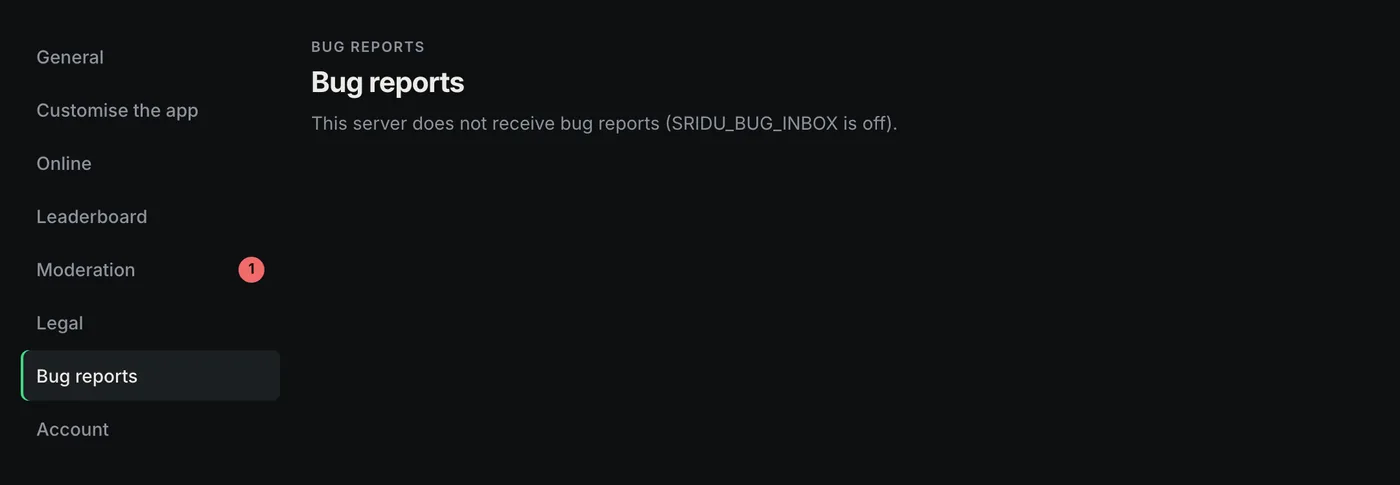
- The Bug reports tab On your own server it stays empty and says so. Only play.sridu.com collects reports. More on the admin page.
FAQ
Questions about reports
A dart was scored wrong. Should I report it?
Not a single one. Correct it with a tap and play on, that happens now and then. If darts are scored wrong again and again, check the camera setup and light first. If that doesn’t help, send a report with Camera images added.
Do I need an account or an e-mail address?
No. Sridu has no accounts, and the e-mail field is optional. Leave it empty and the report still arrives.
Will I get an answer?
Only if you left your e-mail and there is a question about your report. Fixes show up in the changelog.
Can I send a report from an older version?
Yes. The version goes along, so we can see whether the problem is already fixed. If the bar at the top offers an update, install it first and check again.
Can I have my report deleted?
Yes. Send the report number to [email protected]. Otherwise it is deleted by itself after 90 days.
Questions, ideas or just a chat about Sridu? Join us on Discord. Bugs still go through Report a problem in the app, so nothing gets lost.
Found something? Tell us.
Open Sridu and use Report a problem where it happened. Every report helps to make Sridu better for everyone at the board.