Get started
How to play Sridu
From setting up a game to correcting a dart mid-leg, and what each setting does. Every picture on this page is the real app. Still looking for a game? All game modes.
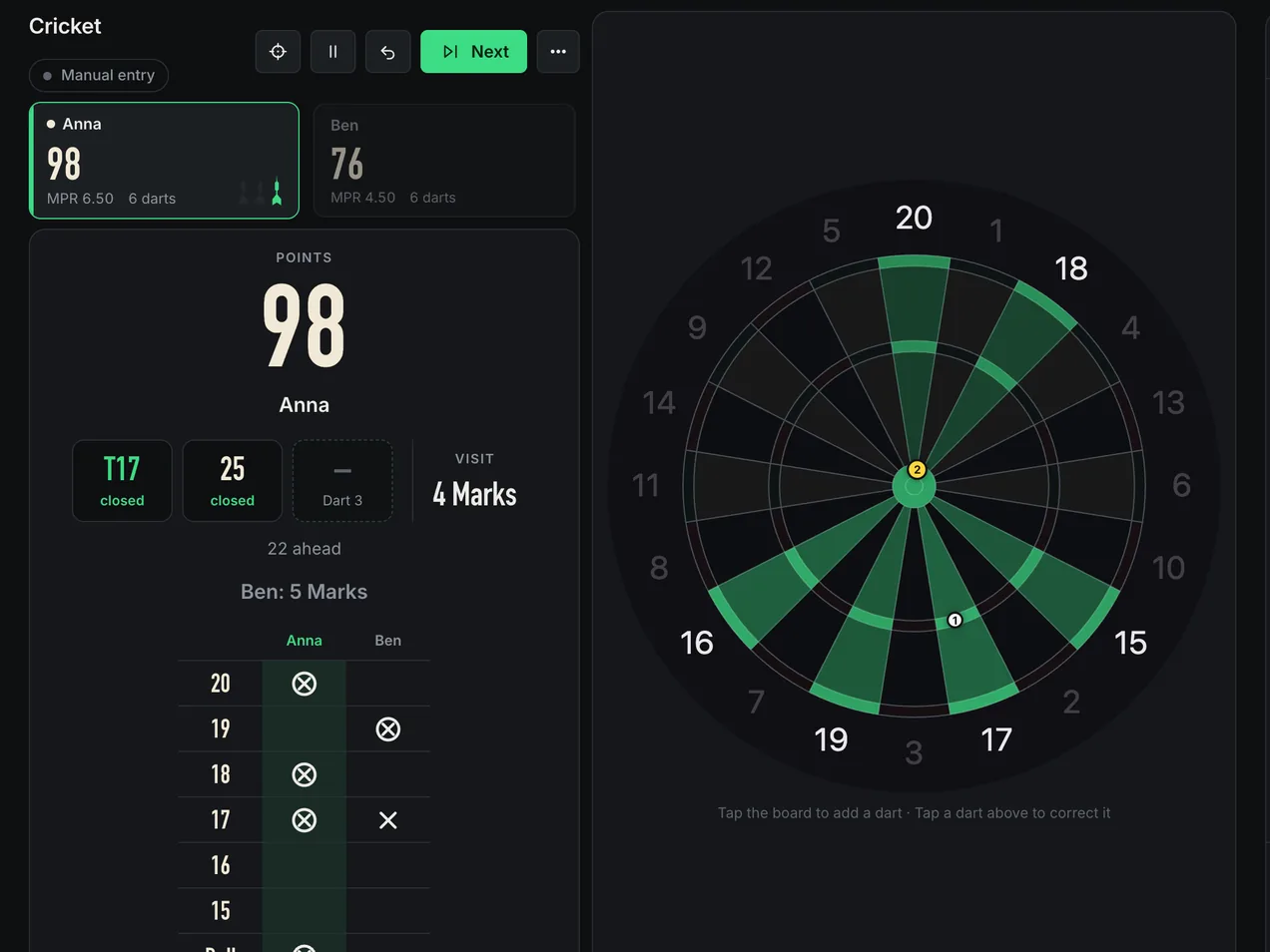
Step by step
Start a game in four taps
Every mode is set up the same way. Once you have done it for 501, you can do it for the rest.
 1
Pick a mode
Tap it on the start page. For X01 the 301, 501 and 701 chips open the setup with that score already set. Not sure what to play? The guide to darts games has one for every group. Know a game by its pub name? The game search above the games (or ⌘K / Ctrl+K) finds it and sets the rules.
 2
Set the rules
Each mode has its own, explained on its page. On top you choose legs and sets: a single leg, first to 2, first to 3 or any number up to 99.
 3
Add players
Up to six, a bot with an average from 15 to 110, or an online opponent from the lobby. Tap a name field to pick a player profile. For more players, run a tournament.
 4
Start
Choose who throws first: top of the list, a bull-off or random. After each leg the next player starts, and a rematch starts with the next one too, without another bull-off.
Make it a fair game
- HandicapsGive each player their own rules and a beginner can play a pro: a different starting score in X01, lives in Killer, strokes in Golf and so on. The mode pages list them. Tap Handicap next to a player.
- BotsA bot plays by the same rules. It aims like a person and each dart scatters realistically around the target. Whatever it hits counts.
- TeamsFrom three players. A team shares one score and its players take turns. Tap the letter next to a player to move them. Uneven teams? You decide whether every side or every player throws equally often.
- Bull-offEveryone throws one dart at the bull. A close-up shows the distance in millimetres, and the nearest dart throws first.
At the board
During the game
The cameras keep score. You only step in when something is off. Hover over the list to see each part on the screen.
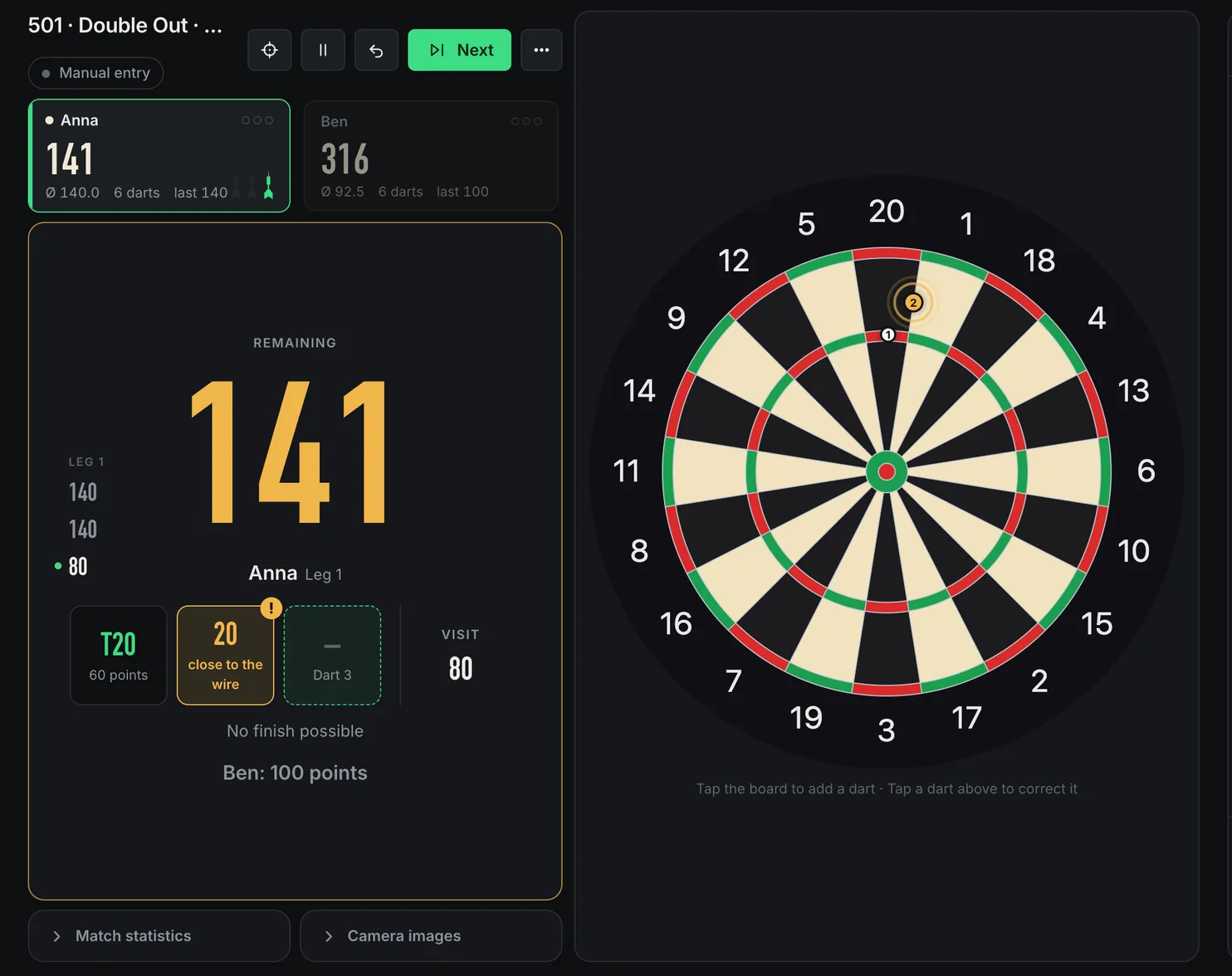
- 1Re-measureCamera bumped or the light changed? Measures the cameras again with a fresh picture of the empty board.
- 2PauseIn matches and party games. Against other boards everyone has to agree. A challenge fits into the break.
- 3UndoTakes back the last dart or the whole last visit.
- 4NextPull your three darts and the next visit starts by itself. Next skips the wait.
- 5The ⋯ menuConnect another device, streamer mode, check throws, caller and sounds on or off, the rules of the game, report a problem and end the game.
- 6ScoreboardWho is throwing, what is left, the average and the darts thrown. A dot marks who started the leg.
- 7Visit columnX01: the visits of the player at the oche, newest at the bottom. Struck through in green: a finish was on. More.
- 8Darts of the visitTap a dart to correct it. Orange means the detection was not sure, for example right on a wire.
- 9The boardNo cameras? Tap where the dart sits. With a mouse the field under the pointer lights up with its name. Outside the double ring it reads 0, a miss. In X01 you can type the visit total instead: switch to Type total or just start typing. How it works.
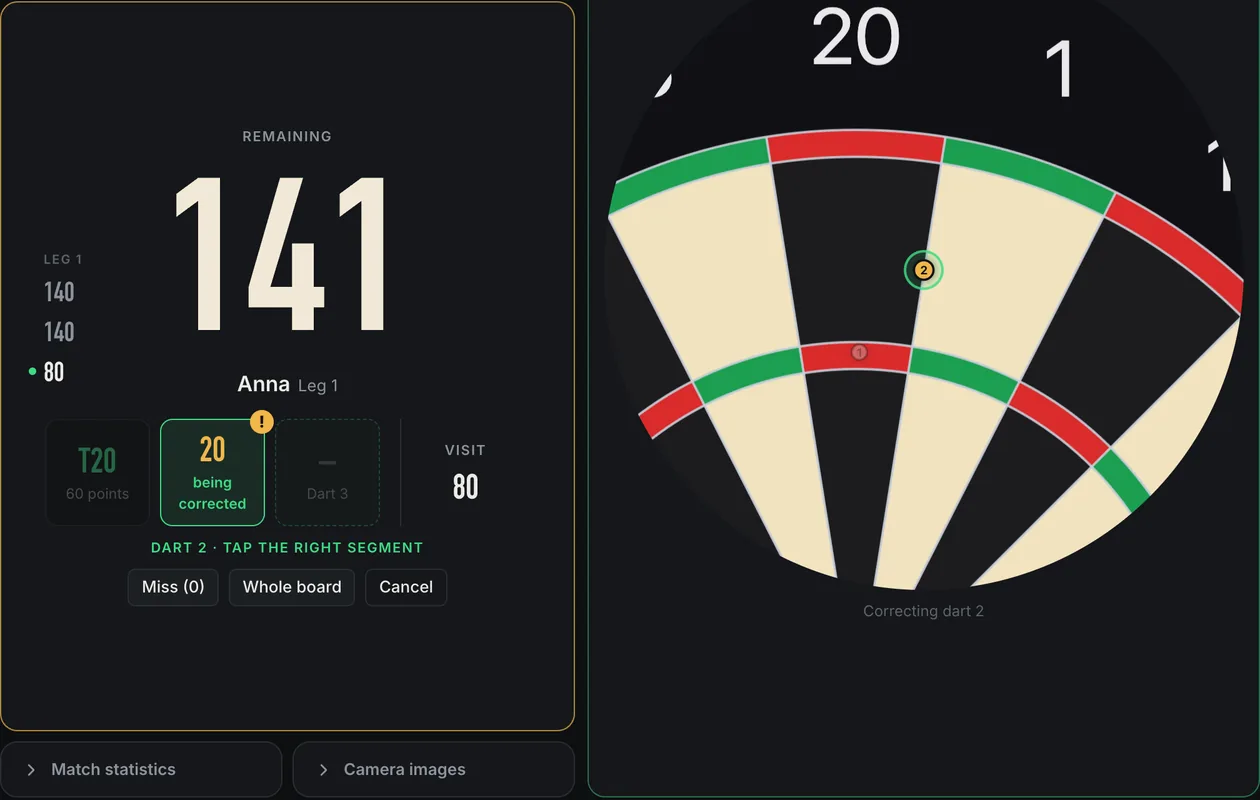
Correct a dart in two taps
- Tap the dartIts chip in the visit, under the score.
- Tap the right fieldThe board zooms in on where it sits. Miss (0) enters a miss, Whole board zooms out.
An orange dart asks to be checked: a tone and the caller remind you. How strict that is, and why, is explained in Better detection.
Good to know
- Throw, then pullAfter three darts, pull them out and the next visit starts by itself.
- Bounce-outs don’t countNeither do darts that fall out. With hand detection on, a dart pushed in by hand doesn’t count either.
- Phone as a second screenTap Connect at the top right and scan the QR code. The phone follows the match, and you decide whether it may correct. Play together.
- A challenge in the breakPause a match, play a challenge, and carry on exactly where you left off.
Settings
Make the app yours
Start page → Settings. They are saved per device, so every board can have its own.
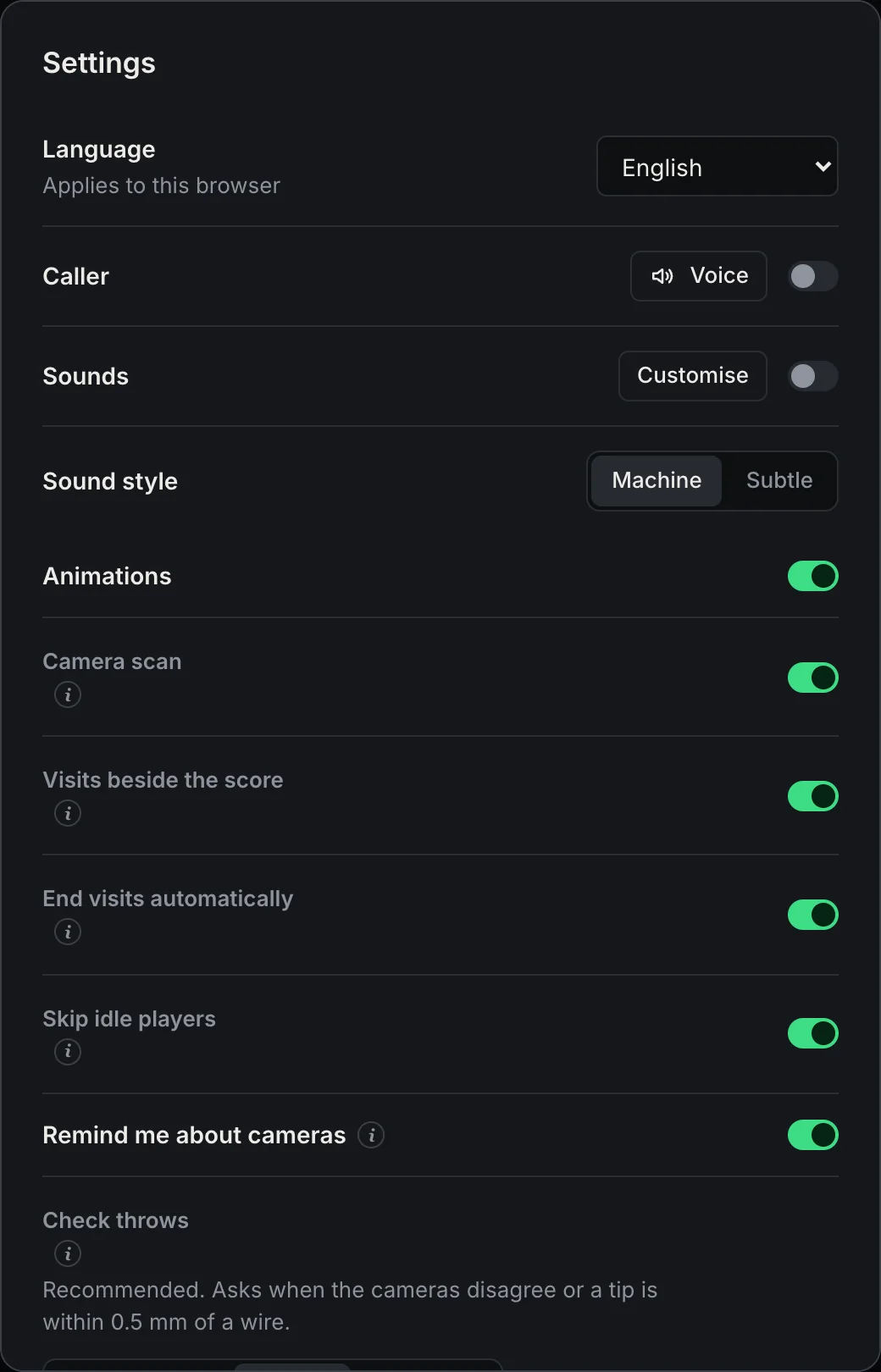
- LanguageEnglish, German and many more, for this browser.
- Throw suggestionIn X01 the checkout and the marker on the board. In target games the target always stays marked.
- Check throwsHow close to a wire a dart may sit before you are asked: Off, Rarely, Normal or Thorough. Explained here. Only check what counts skips darts a whole field away from every target.
- End visits automaticallyThree darts in and nothing happens: Next fills up over 15 seconds and moves on.
- Skip idle playersNo dart and no entry for 60 seconds: the next player is up.
- Re-measure automaticallyA knocked camera or several corrections in a row: the cameras are measured again between two visits. Better detection.
- Visits beside the scoreThe visit column in X01. Off if you don’t need it.
- Sounds and animationsMachine sounds like the pub machine, Subtle, or your own per event. Animations only show what is on screen anyway.
- Report a problemThe last row. What to write and what is sent along.
The caller
Calls like on TV
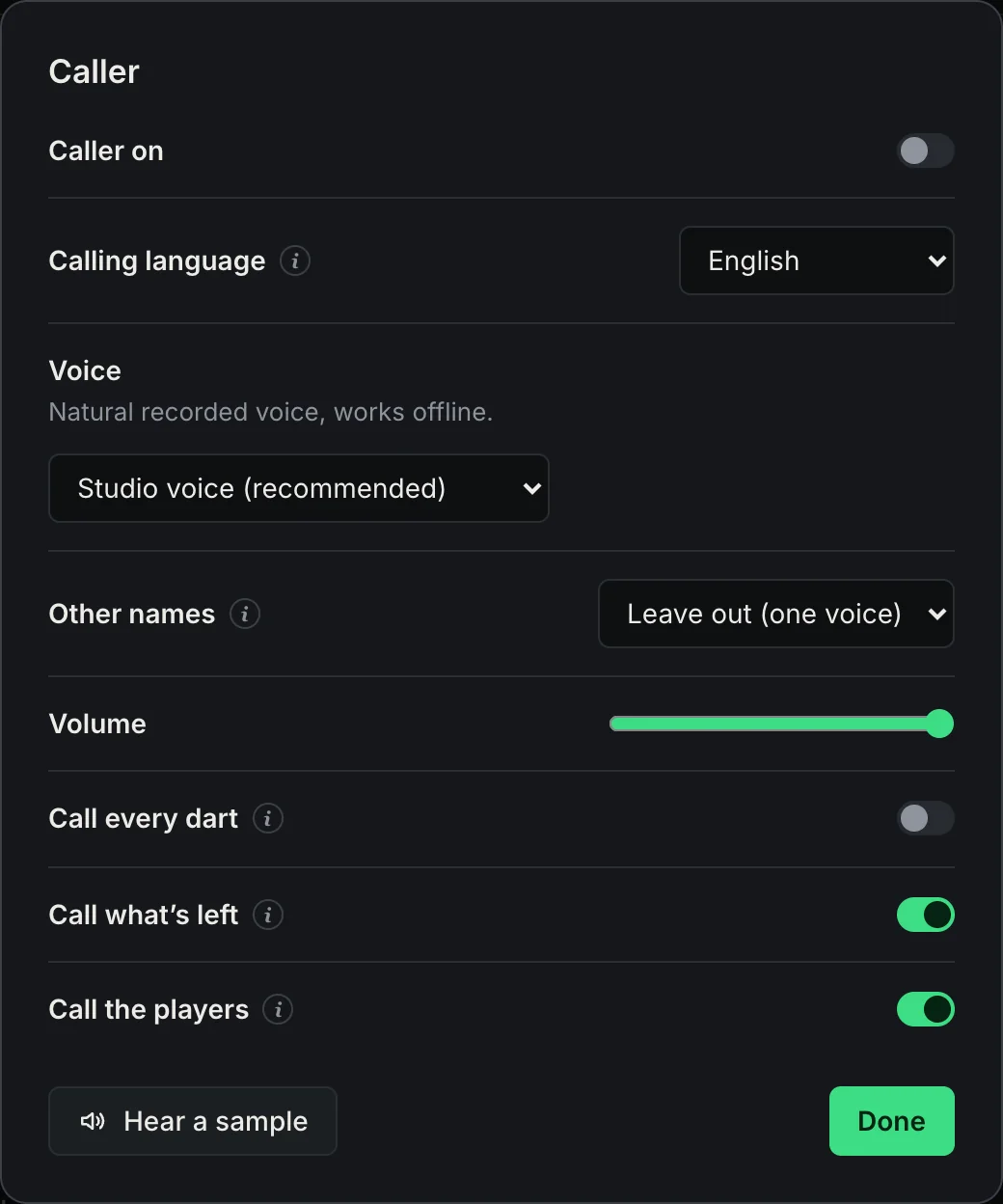
English, German and Dutch have recorded studio voices, the other languages use your system’s voices. Voice, speed and volume are in the settings (the gear at the top). During a game, ⋯ switches the caller on or off. You can even record your own caller voice. More on the darts caller and sounds pages.
- Voice, speed, volumeThe studio voice where your language has one, otherwise the best voice on your device. Hear a sample plays it.
- Other namesThe studio voice only says names it has recorded. Leave the others out, or let the device voice say them.
- Calling languageFollows the app. Classic English calling sounds like the pros: “One hundred and eighty!”
- Call every dart“Treble twenty” for every dart, on top of the visit total.
- Call what’s left“Anna, you require 40” as soon as a finish is on.
- Call the playersAnnounces who is up next.
Now you know how to play Sridu
Open the app in your browser and start with a game of 501. It’s free for private use, you don’t need an account, and there is nothing to install. If you play often, add Sridu to your home screen or Dock.