Score by hand
The free online darts scorer
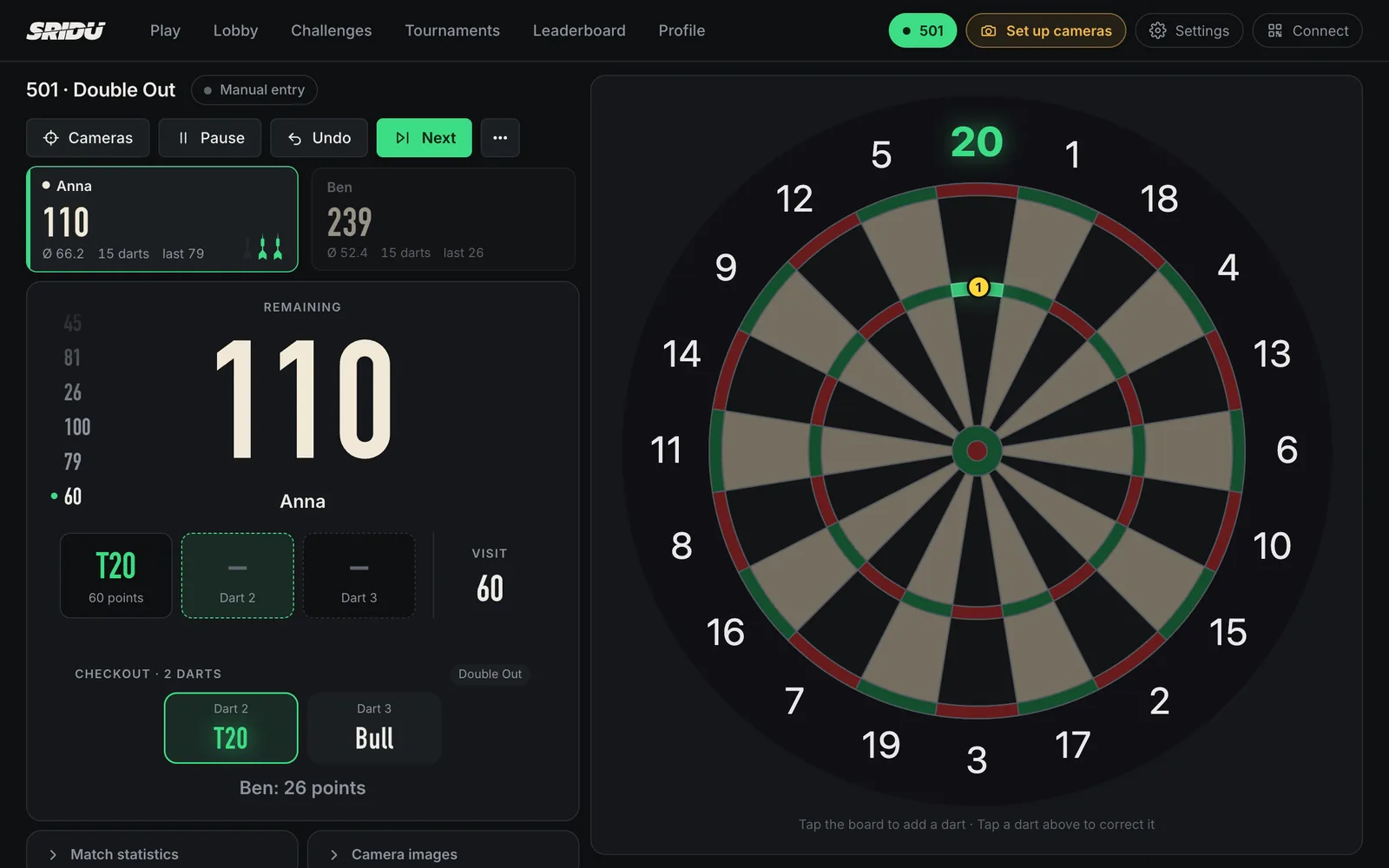
Sridu keeps score of your darts in the browser on a phone, tablet, laptop or PC. You tap the field each dart landed in or type the total of the visit, and it works out what is left, the checkout and the averages. It costs nothing, shows no ads and needs neither a download nor an account.
In short
- Free and without ads, no account and nothing to download.
- Tap each dart or type the total. The score updates itself.
- Checkout, caller and averages for every player.
- Install it as an app. Once loaded it runs offline.
Step by step
How does the online darts scorer work?
You tap the field each dart landed in, or in X01 you type the total of the visit. Sridu takes it off, spots a bust and suggests the checkout, then the next player is up.
- Pick a game301, 501 or 701 with a tap on the start page, or Cricket and any other game mode.
- Add playersUp to six names, or a bot if nobody else is around.
- Tap each dartTap the field where the dart sits. A tap outside the double ring is a miss.
- Fix a slipTap the dart in the visit, then the right field. Undo takes back a dart or the whole visit.
Type the total
Can I type in the total of a visit?
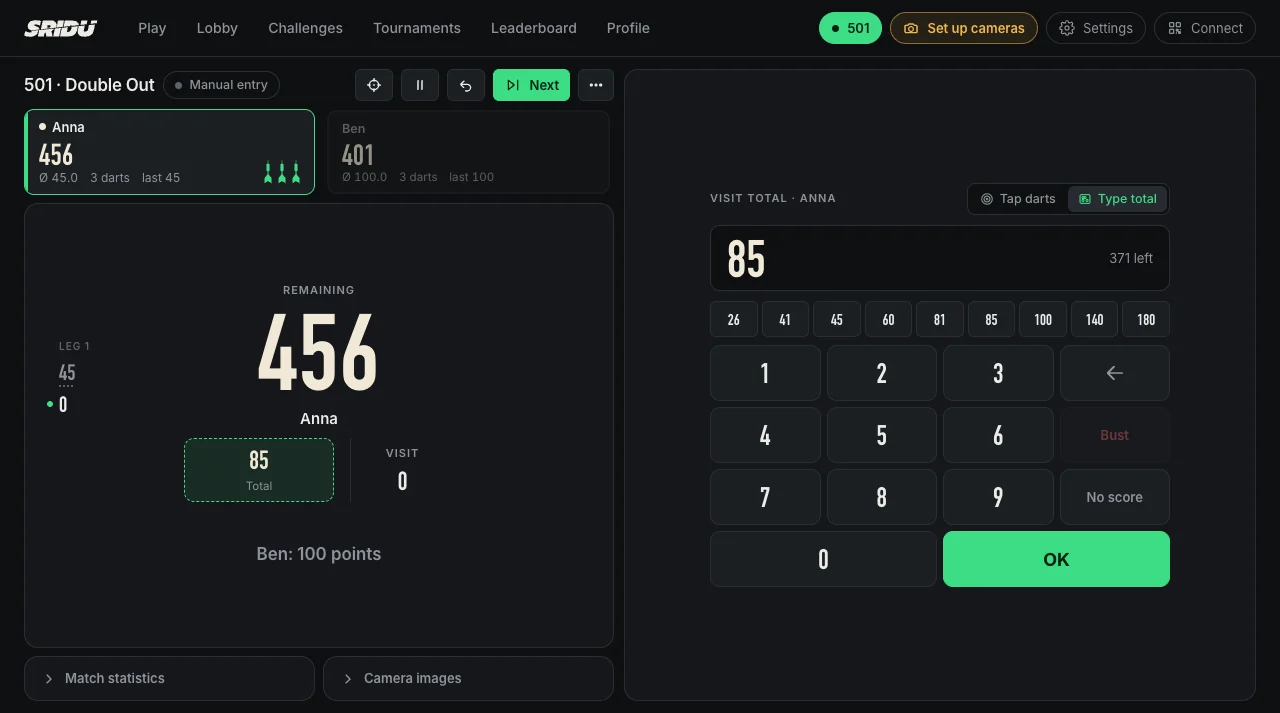
Yes, in X01. Switch to Type total next to the board, or just start typing on the keyboard, and enter 60, 100 or 140 like on a chalkboard. Totals that cannot be thrown, such as 179, are refused, and a bust is spotted on its own. What counts as a bust is in the darts rules.
When you check out, one tap tells Sridu how many darts it took, so your average and checkout rate stay exact. Only the heatmap needs every single dart, so typed visits are left out of it.
Any screen
Does it work on a PC, laptop, tablet or phone?
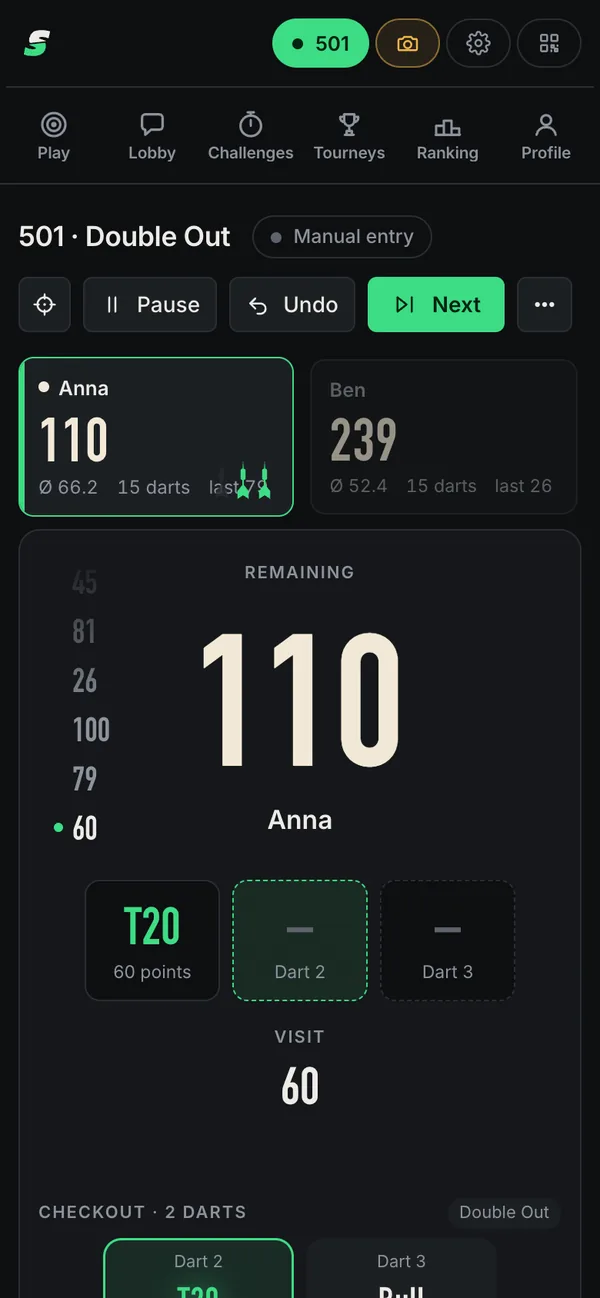
Yes. Sridu runs in any current browser, so the same scorer works on a Windows PC, a Mac, a Linux laptop, an Android tablet, an iPad or a phone.
- PhoneIn your pocket at a friend’s board. Portrait works, landscape gives the board more room.
- TabletOn a shelf or the wall next to the board, big enough to tap from the oche. Where it fits best is in the darts room setup guide.
- Laptop or PCScore and board side by side on one screen. A mouse shows the field under the pointer.
- Second screenConnect a phone with a QR code and it shows the match live. If you allow it, it can enter and correct darts too. Play together.
Offline
Can I use the darts scorer offline?
Yes, once it has loaded. Sridu keeps everything it needs on your device, so a match in the cellar or a clubhouse without signal still works.
Install it as an app and it opens from the home screen, Dock or Start menu in its own window. Internet is only needed for playing online, such as matches against other boards and the lobby.
- No app storeThe browser installs it in a few taps. How to install Sridu.
- Your data stays with youPlayers, games and statistics live in your browser. You can export them as a file at any time.
- Updates by themselvesWhenever you start it online, the newest version loads in the background.
With voice
Is there a darts scorer with a voice?
Yes. The built-in caller announces every visit, the score you need and the game shot, with recorded studio voices in English, German and Dutch.
Other languages use the voices of your device. The calls, the voice and the speed are set in the caller settings.
- The match startsGame on!
- Bull-offWhen a bull-off decides who startsBull up!Anna to throw firstTie. Throw again.
- Every dartThe first two darts by name, then the visitTreble 20BullseyeTwenty fiveMissCall every dart
- After every visitThe score of the three darts10045No score
- BustOver the score, or a finish the out rule does not allowBust
- A finish is on170 or less leftAnna, you require 40Call what’s left
- Next playerWith two players or moreBen to throwCall the players
- Leg and setGame shot, and the leg, Anna!Game shot, and the set, Anna!
- The matchIn the other modes: “Anna wins!”Game shot, and the match, Anna!
- A dart you correctAlways read backCorrected: Double 16
- A dart to checkAfter the scorePlease check dart 2Check throws
Averages and stats
Which statistics does it keep?
Every match goes into the player’s profile: the 3-dart average, first 9, checkout rate, tons and 180s, the best leg and a heatmap of where the darts landed.
At the end of a match the duel screen puts both players side by side. All figures are explained on the statistics page.
Anna wins
Visits
Players and bots
How many players can play?
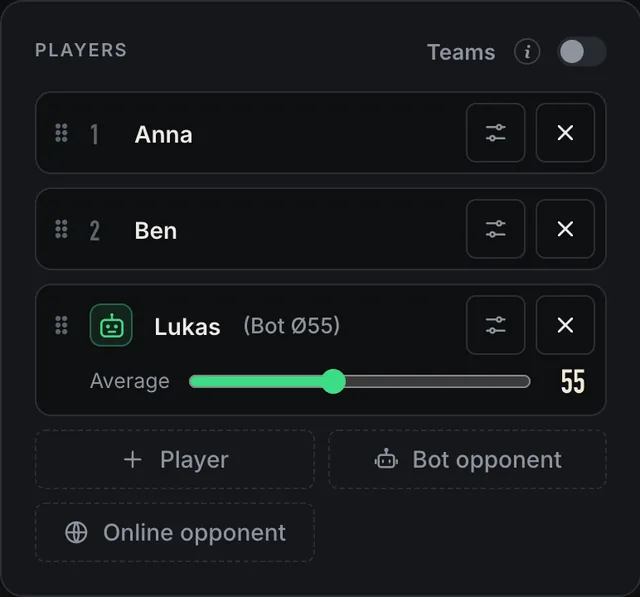
Up to six players in a match, or up to 24 in up to four teams that share one score. On your own, add a bot with an average between 15 and 110.
- Darts calculator for twoThe classic duel: each player taps their own darts, the app keeps both scores.
- A bot when you are aloneIt aims like a player and throws the average you set. More on playing darts against the computer.
- HandicapsA different start score or out rule per player, so a beginner can take on a strong player.
- Player profilesPick yourself from the list and your games add up in your own profile.
Club nights
Is it good enough for a club night or a small league?
For a club night, yes. Sridu draws knockouts, groups, round robins and double KO for up to 64 players, and it is free for clubs as well.
A season league with fixtures and an official table is a job for your league’s own system. Sridu scores the matches and keeps the stats of every player. Tournaments explains the formats.
- KnockoutLose and you are out
- Byes for the top seeds
- Match for 3rd place if you like
- A longer final if you like
- Groups + KOGroup stage, then knockout
- 2, 3, 4 or 8 groups
- 1, 2 or 3 go through per group
- Group winners meet runners-up
- Round robinA league, the table decides
- Everybody plays everybody
- Home and away if you like
- Throwing first alternates
- Double KOOut after two defeats
- Winners’ and losers’ bracket
- Both meet in the grand final
- From 3 players
Compared
Which way of scoring suits you?
Each way of keeping score has its place. Here are the usual ones side by side, with what they are good at and what they cost you in effort.
Chalk or paper
- Needs no device or power
- Trains your mental arithmetic
- No averages and no history
- Someone has to keep track
Scorer app
This page
- Sums, busts and checkouts done for you
- Averages, stats and a caller
- You enter every dart
- A screen near the board
Cameras
- You just throw
- Each dart placed to the millimetre
- Cameras to mount and set up
- Needs a computer at the board
Electronic board
- The board counts by itself
- Nothing to set up
- Soft-tip darts only
- Scoring tied to that board
Sridu covers the middle two: score by hand today, add camera scoring later with USB webcams. The comparison of scoring approaches goes into more detail.
Later, if you like
Can the app count my darts by itself?
Yes, with cameras. Plug one to four USB webcams into a computer at the board and Sridu scores every dart on its own, with the same games and statistics.
Nothing you scored by hand is lost when you switch. What you need is on the hardware page.
- T2060 points
- 1close to the wire
- T2060 points
Check dart 20.6 mm from the wire · measured 3 times
FAQ
Good to know
Is the online darts scorer really free?
Yes. At home and in your club Sridu is free, without ads and without a subscription. Commercial use, such as a pub running it on its own screens, needs a quick word first: see support and licence.
Do I need to download anything or create an account?
No. Open play.sridu.com and start a game. Installing it as an app is optional and takes a few taps in the browser.
Which app counts darts by itself?
Any app that counts on its own needs a way to see the board, usually cameras. Sridu does it with your own USB webcams, and without them you tap your darts in.
Do typed totals count in my statistics?
Yes. Average, checkout rate and all scores stay exact. Tap the darts instead when you want a heatmap of your throws.
Does it work for Cricket and other games?
Yes. Every game mode works with scoring by hand, from X01 and Cricket to party games and training drills.
Where are my scores stored?
In your browser on this device. Move a player to another device with a QR code, or export everything as a file.
Ready for the first leg?
Open Sridu, pick 501 and tap your first dart. If you want to practise on your own, the darts practice app page shows the drills.