Press kit
Sridu for the press
Writing about Sridu, making a video or putting it in a list of darts apps? Here are short texts to copy, the logo and icon in every format you need, a screenshot, and the brand colours.
About Sridu
Texts to copy
Use them as they are or shorten them. Everything in them is also on this website.
One line
Sridu is free automatic dart scoring for steel-tip boards that runs in your browser with one to four USB webcams.
One paragraph
Sridu scores steel-tip darts automatically with one to four ordinary USB webcams, right in the browser. It needs no account and no subscription, works offline, and anyone can host it themselves. Sridu is free for private use and in clubs, and its source code is available.
About 100 words
Sridu is automatic dart scoring for steel-tip boards. One to four ordinary USB webcams watch the board, and Sridu measures every dart and keeps the score, right in the browser on a laptop, mini PC or tablet. It needs no account, no subscription and no special hardware, and it keeps working offline. Sridu has 41 game modes, from X01 and Cricket to party games and training drills, plus 36 well-known variants, bots, online matches board against board, tournaments, hourly challenges, statistics and a caller. The app speaks nine languages. Sridu is free for private use and in clubs, its source code is available, and anyone can host it themselves. It is made by one person.
- Name Sridu, always written with a capital S and lower case after it.
- App play.sridu.com, website sridu.com
- Price Free for private use and in clubs, see licence
- Status Beta, see the changelog
Downloads
Logo, icon and pictures
SVG for print and anything that scales, PNG with a transparent background for everything else. The light versions are for dark backgrounds, the dark ones for light backgrounds.


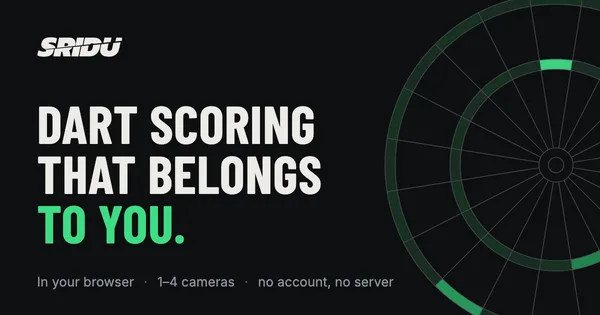

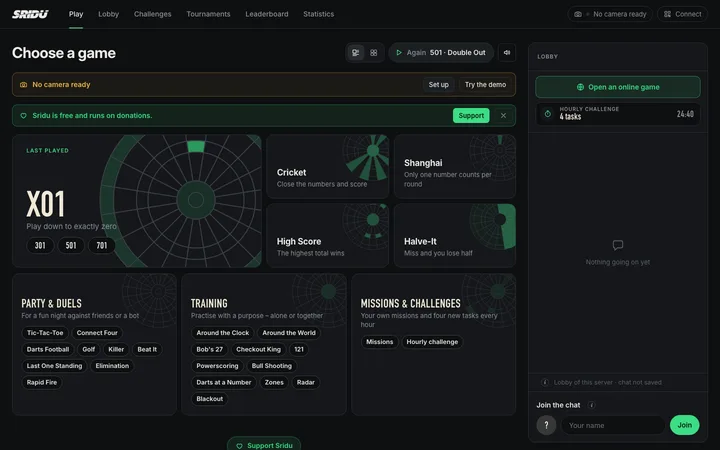

Download everything (ZIP)ZIP · 559 KB
Brand
Colours and fonts
Sridu is dark with one accent green. Both fonts are free to use (SIL Open Font License).
- Accent green
#3ddc84 - Background
#0e0f11 - Surface
#15171a - Text
#ecebe6 - Muted text
#8d939c - Text on green
#052312
- Aa 180Barlow CondensedHeadings and numbers, 600 and 700
- Aa 180InterBody text
Usage
Using the logo
The logo is the word Sridu, cut once on a slant with the upper half nudged to the right. That cut is part of the logo.
- Keep it as it is. Don’t redraw, stretch, rotate or recolour it, and don’t close the cut.
- Give it room. Leave at least the height of the S free on every side.
- Pick the right version. Light on dark backgrounds, dark on light ones. The green belongs to the mark, not to the wordmark.
- Small sizes: below about 80 pixels wide, use the mark or the app icon instead of the wordmark.
- Don’t suggest a partnership. Using the logo to write about Sridu is fine. Using it on your own product needs a word first, see the licence.
Contact
Questions or interviews
For questions, interviews or anything missing here, use the contact form or write to [email protected]. For commercial use of Sridu, see asking for commercial use.
See it for yourself
The fastest way to understand Sridu is to open it. The demo runs without a camera.